I am using the Unitree GO2 EDU version which is QRE GO2 with Open Manipulator and Steamdeck. While testing through the user manual until chapter 4 about Navigation. I tried to start the slam as given in the manual with ros2 launch go2_navigation slam.launch.py. Here the slam launch file does not contain starting RViz. So in order to visualize the scanned map, I started the visualization with ros2 launch go2_viz view_robot.launch.py. There I can only see the realtime GO2 LiDar topic messages when I change the frame to odom.
When I add the topic, with neither /go2_unit_xxxx/maps nor /maps, can I see the scanned map as is given on the manual. Both of them give a warning that no maps recieved. I have checked the slam toolbox which is also in mapping mode, which is correct.
Does anyone have similar situation? Many thanks in advance for any help!
Once you run the slam it should work. The quickest way to debug is to first check via the remote screen in the webserver with the RViz if the map is being generated.
Once you run the SLAM please check in domain id 10 whether you have data coming via ros2 topic echo /go2_unit_xxxx/maps if it is coming then a setting mismatch is occuring. If not then check via the launch file if topics are being matched.
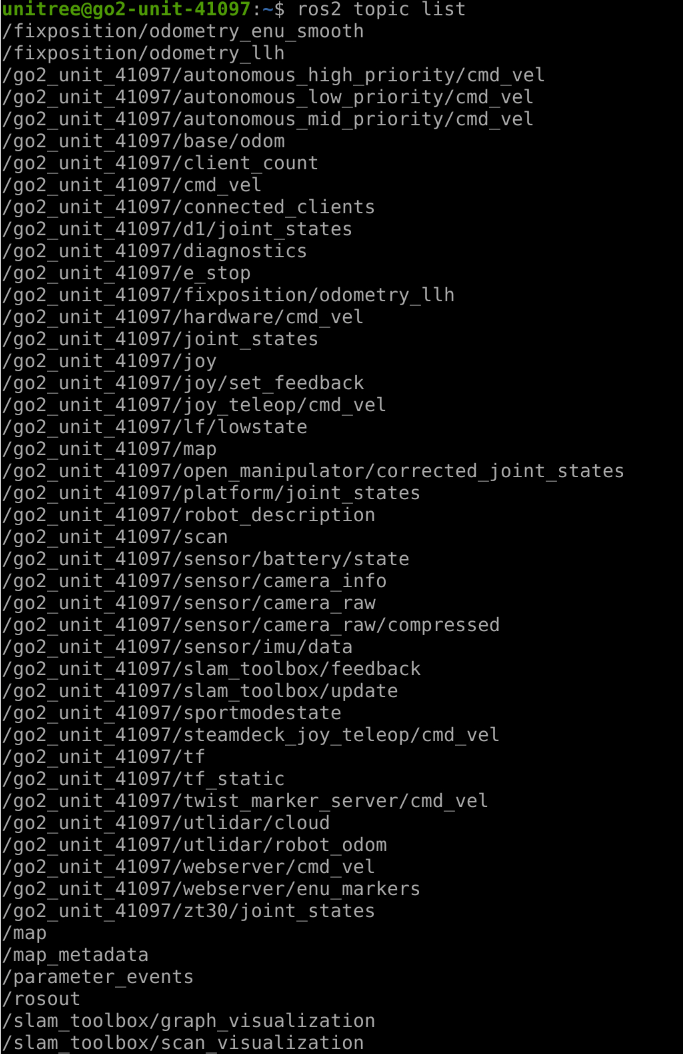
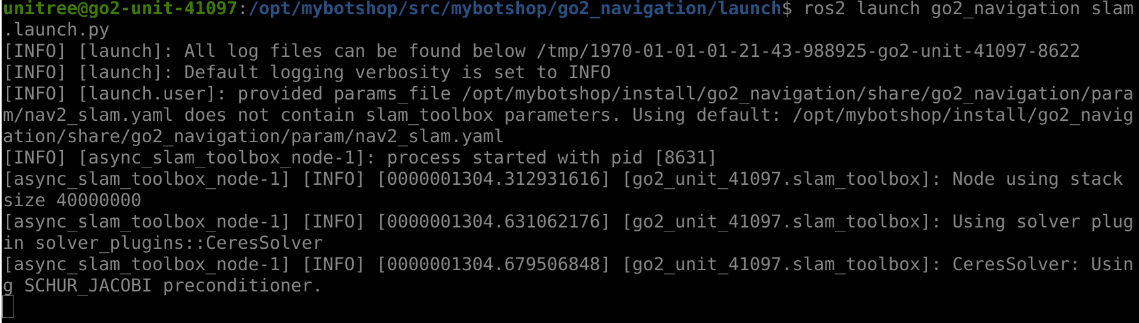
Please post a screenshot of the terminal with slamtoolbox after its launched alongside the topic echo and topic list. All in domain id 10.
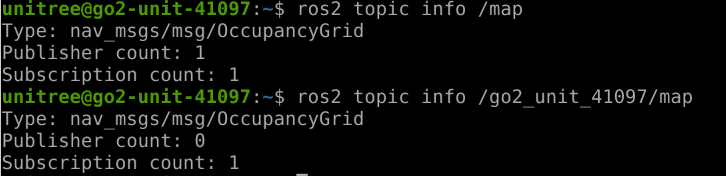
Here are several screenshots I have made. As you can see I started the slam launch file and then I can also see both map topics.
With topic info function I have found that no node is publishing in the go2_unit_xxxx/map so as a result there is also no messages in both map topics. Is there a failure in launch file or the yaml file that I should or need to change before launching slam? Many thanks in advance!
What do you exactly mean with pcd_to_laserscan? Is this a launch file in which node package? And this launch file needs to be launched firstly before slam.launch?
Hi Sohail,
the problem is solved after running the laser scan node. After starting Rviz I can also see the map is being build.
After that I saved the map to the directory with the given instruction ROS_DOMAIN_ID =10 ros2 run nav2_map_server map_saver_cli -f / opt / mybotshop / src / mybotshop / go2_navigation / maps / custom_map
And next step is to rebuild the packages and I see many warning infos, which are as follows:
make: Warning: File ‘Makefile’ has modification time 1758036239 s in the future
make[1]: Warning: File ‘CMakeFiles/Makefile2’ has modification time 1758036239 s in the future
make[2]: Warning: File ‘CMakeFiles/open_manipulator_x_controller.dir/flags.make’ has modification time 1758036239 s in the future
make[2]: warning: Clock skew detected. Your build may be incomplete.
make[2]: Warning: File ‘CMakeFiles/open_manipulator_x_controller.dir/flags.make’ has modification time 1758036239 s in the future
make[2]: warning: Clock skew detected. Your build may be incomplete.
make[1]: warning: Clock skew detected. Your build may be incomplete.
make: warning: Clock skew detected. Your build may be incomplete.
And as a result in summary I get
Summary: 32 packages finished [1min 13s]
30 packages had stderr output: cmake_modules domain_bridge dynamixel_hardware go2_control go2_depth_camera go2_description go2_gps go2_host go2_interface go2_joystick go2_lidars go2_manipulation go2_moveit go2_navigation go2_platform go2_steamdeck go2_viz go2_webserver go2_zt30 odom_to_tf_ros2 open_manipulator open_manipulator_msgs open_manipulator_x_controller open_manipulator_x_description open_manipulator_x_libs robotis_manipulator unitree_api unitree_go unitree_hg unitree_ros2_example
Is there a problem I need to solve or I can leave this?
And when I later start the map_navigation node with map_navi.launch.py
I get error [planner_server-5] [INFO] [0000003999.825058656] [global_costmap.global_costmap]: Timed out waiting for transform from base_link to map to become available, tf error: Invalid frame ID “map” passed to canTransform argument target_frame - frame does not exist
This means my map name is wrong? Where should I modify it?
The map is saved under /opt/mybotshop/src/mybotshop/go2_navigation/maps with name custom_map
This error is because the go2 date and time are wrong. When you sync the time to the current date, it will fix it. The packages wont build if this is incorrect!
If the robot is connected to the internet and can ping google.com then just run
sudo date -s "$(wget --method=HEAD -qSO- --max-redirect=0 google.com 2>&1 | sed -n 's/^ *Date: *//p')"
This will correct the date, afterwhich you can try and rebuild and continue from there
It can be multiple issues. Check via rqt if you have map to baselink. Also, you have to give it the initial position from RViz so that it localizes itsself in the map.
Hi Sohail,
thanks for your answer. While our robot dog is not connected to the internet. I am currently not using a usb dongle to connect it to a wlan network.
I just connect my PC to the hotspot from Go2. And the instructions/bash are given either through ssh connection or the remote desktop on web server.
Maybe it is possible to use the time and date to correct the those on Go2 via ssh?
I think the problem is with tf, I found there is no publisher in /tf.
The robot is started up not correctly?
And for example the bash code in manuals ros2 launch go2_bringup system . launch . py There is no such launch file under the go2_bringup package.
After runnning ros2 run go2_bringup startup_installer.py then the go2 webserver is down and can no more be visited after a long time until I restart the GO2 directly with the energy supply.
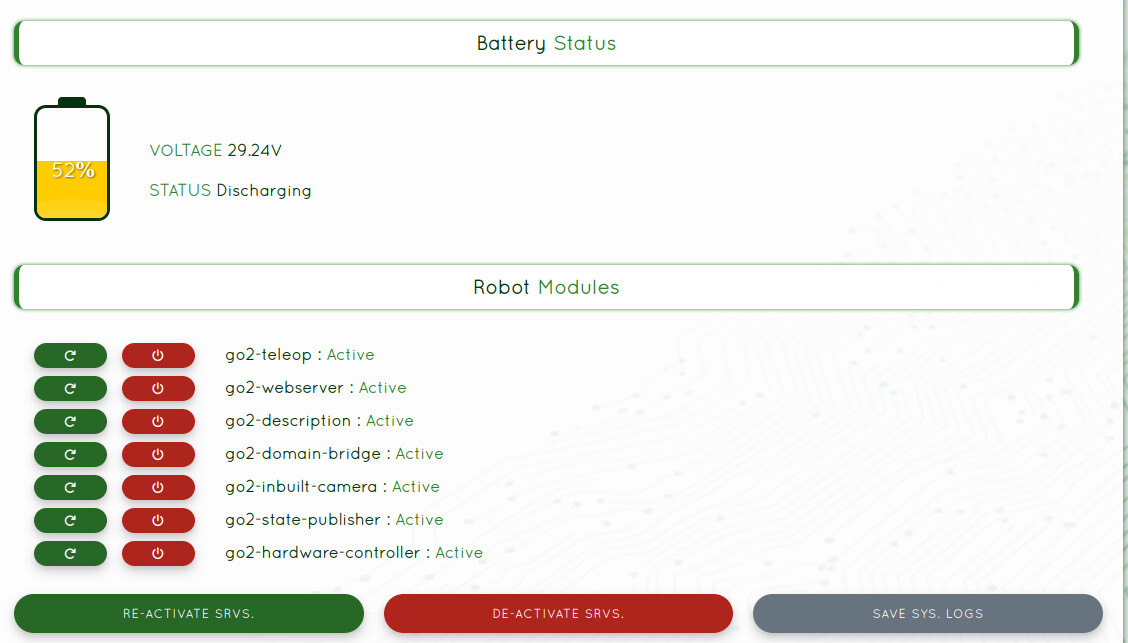
And I can not check the status of the services with sudo service go2-platform status.
There is no direct tf publisher. It is provided via the go2-description for static joints and go2-state-publisher for the dynamic joints!
It has been depreciated and removed in favor of the webserver
This is autostartup job sometimes it may take upto 5minutes depnding on the server load. There is a command of tf tree in the qre_go2 repository can you run that and post back the result
I see, so I need to activate corresponding nodes in go2-description and go2-state-publisher.
I think I have found the problem. When I start using navigation or mapping stuff, the nodes actually are hearing to the topic /tf while the actual topic where tf is being published is under /go2_unit_xxxxx/tf.
I can see under /go2_unit_xxxxx/tf there are two publisher /go2_unit_41097/go2_statepublisher and /go2_unit_41097/robot_state_publisher
And which command do you mean exactly? I have found noting relevant to tf in the repository(on Github) with the search function.